

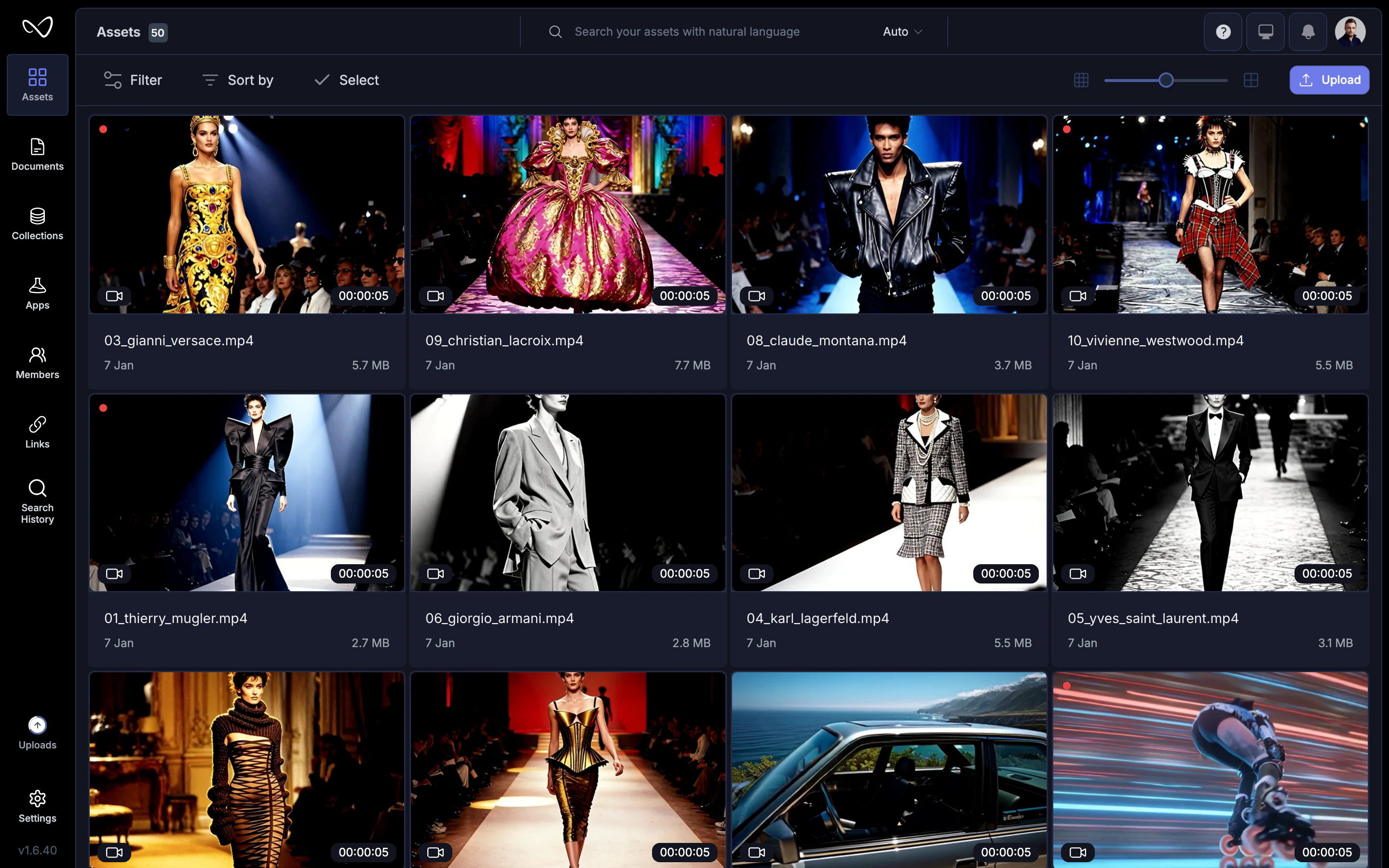
What counts as an asset
Each uploaded file becomes a distinct asset with its own metadata, tags, and history.
Upload assets
1
Open your workspace
Navigate to the workspace or project where you want to add files.
2
Upload
Click Upload or drag files directly into the browser window. You can upload multiple files at once.
3
Wait for processing
Wikio analyzes each asset—extracting metadata, generating thumbnails, and running AI indexing. Progress appears in the upload panel.
AI indexing
Once uploaded, Wikio’s AI automatically processes each asset:- Transcription: Spoken words are converted to searchable text.
- Visual analysis: Scenes, objects, and faces are detected and tagged.
- Auto-tagging: Relevant keywords are added based on content.
Asset details
Click an asset to open its detail view: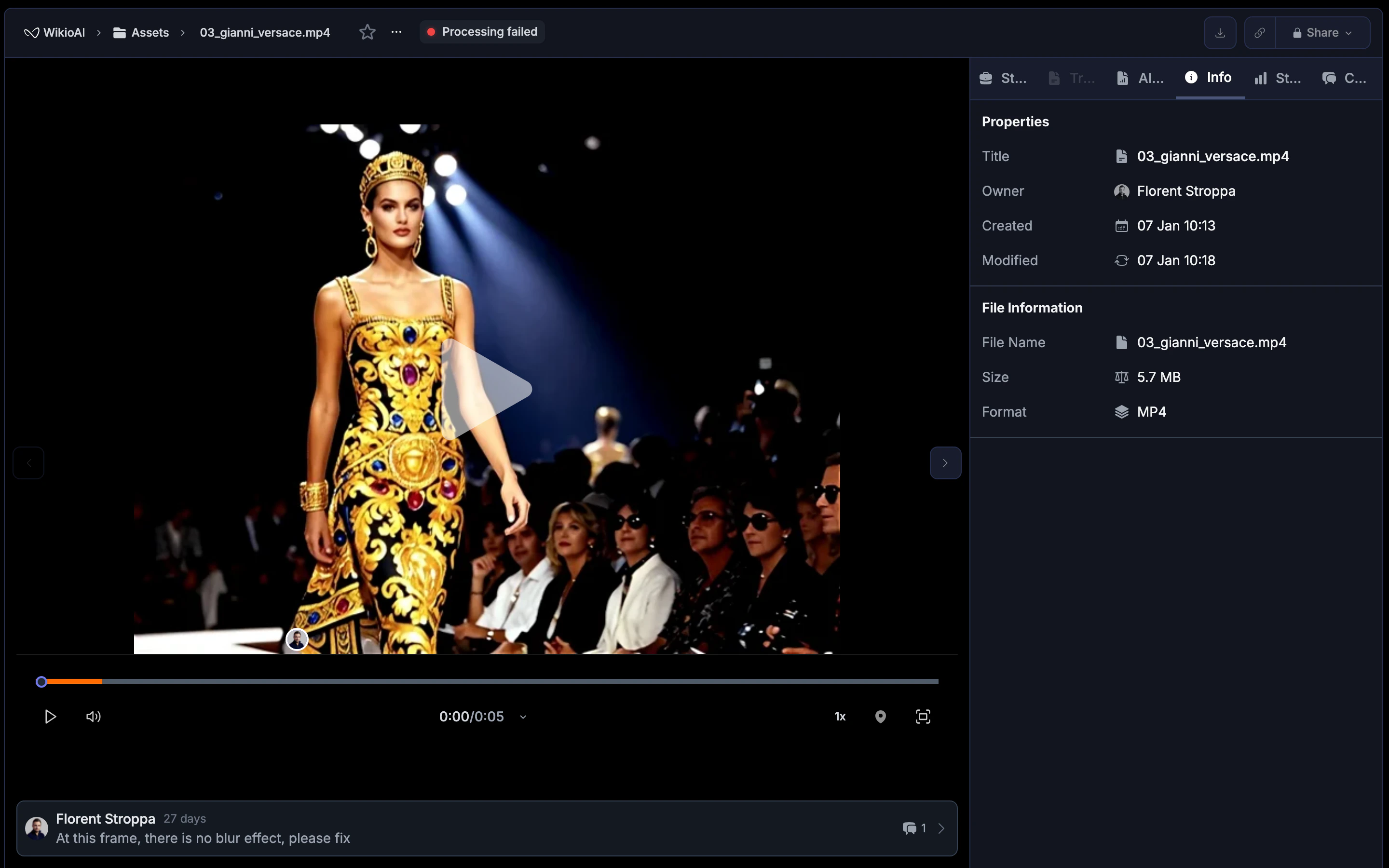
- Preview: Watch video or view images with the built-in player.
- Metadata: See file size, duration, resolution, upload date, and uploader.
- Tags: View auto-generated and manually added tags.
- Transcription: Read the full transcript (for video and audio).
- Activity: Track who viewed, edited, or commented on the asset.
Organize assets
Tags
Add custom tags to group related assets:- Open the asset detail view.
- Click Add tag and enter your label.
- Use tags to filter search results later.
Collections
Group assets into collections for easy access:- Create a collection from the sidebar.
- Drag assets into the collection or use the Add to collection menu.
- Collections can be shared with specific teammates or clients.
Projects
Assign assets to projects to track production progress:- Raw footage goes into a project as input.
- Versions and edits live alongside the originals.
- The final deliverable becomes the project’s Master Release.
Search assets
Use the search bar to find assets by:- Keywords: Match tags, titles, or descriptions.
- Spoken words: Find the exact moment someone says a phrase.
- Visual content: Search for scenes containing specific objects or actions.
Asset versions
When you edit or transform an asset, Wikio can create a new version rather than replacing the original:- Version history: See all iterations of an asset in one place.
- Compare: Toggle between versions to review changes.
- Restore: Roll back to a previous version if needed.
Sharing assets
Share individual assets or entire collections:- Click Share on the asset or collection.
- Enter collaborator emails or select teammates.
- Choose permission level: view, comment, edit, or full access.
Analytics
Track how assets are used:- Views: See how many times an asset was opened.
- Downloads: Count exports and file downloads.
- Engagement: For shared assets, see viewer activity over time.
Best practices
- Name files clearly: Descriptive names make manual searching easier alongside AI search.
- Add context tags: Even with AI tagging, manual labels for campaigns or projects improve organization.
- Archive instead of delete: Move outdated assets to an archive collection rather than deleting—storage is often cheaper than recreating lost work.
- Use projects for production: Keep raw footage and deliverables together in a project to maintain context.